Every code sample on this page is pulled straight from the doc site's compiled source, and every image below it was produced by running that exact sample through Ashcroft — there are no screenshots here, only live output.
Important
On Linux / Docker / CI the native binaries ship in separate packages and Ashcroft can't
reference them for you — add both SkiaSharp.NativeAssets.Linux.NoDependencies and
HarfBuzzSharp.NativeAssets.Linux to your startup project. Windows and macOS bundle both in the
box. The HarfBuzz one is the easy miss: without it Skia paints the background fine and then the
first line of text throws. Full setup and the exact versions are in
Running on Linux, Docker, or CI.
The whole pitch
Five lines to a good-looking 1200×630 PNG. A built-in gradient, a centered title, all defaults:
return SocialCard.Create()
    .Background(Backgrounds.LinearGradient("#0f172a", "#1e3a8a"))
    .At(Anchor.Center, s => s.Title("April Release Notes"));
Backgrounds and the scrim
A background can be a color, a built-in gradient, an image (cover-fit and center-cropped), or a
lambda over the raw SKCanvas. When an anchored group contains text and the background is a
photo or a lambda, Ashcroft draws a subtle dark scrim behind that region — fading from ~55%
black at the nearest edge to transparent toward the center. This single default is most of why
zero-config output looks deliberate. Watch the bottom of the card darken:
return SocialCard.Create()
    .Background("assets/hero.png")
    .At(Anchor.BottomLeft, s => s
        .Title("Legible over any photograph")
        .Subtitle("The scrim is a load-bearing default — no configuration required"));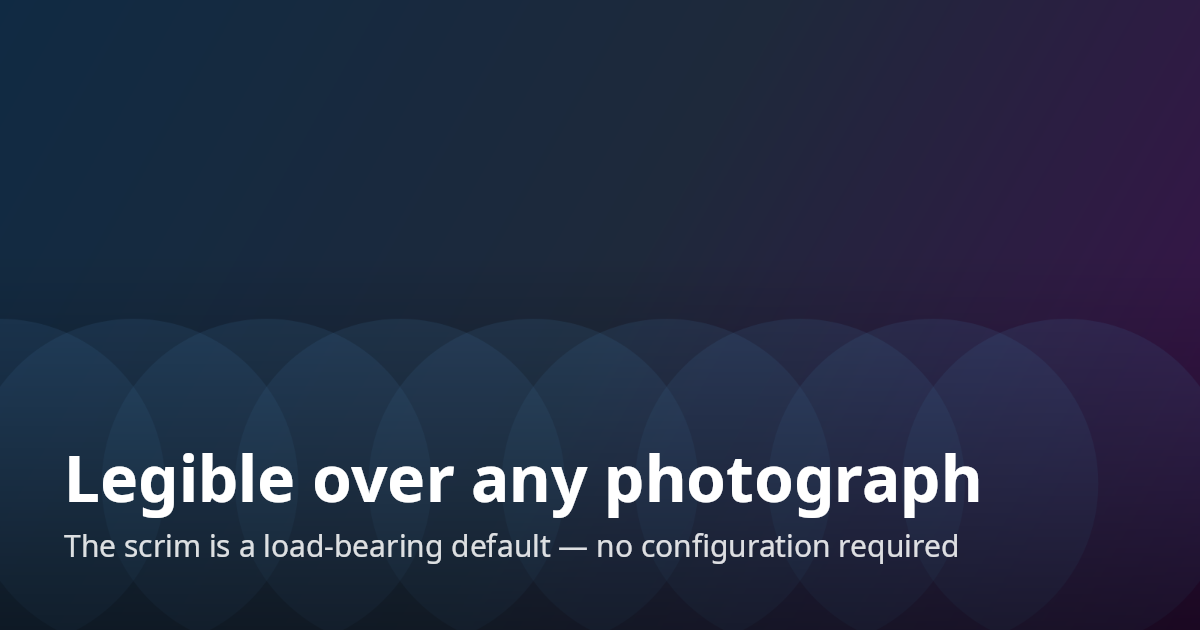
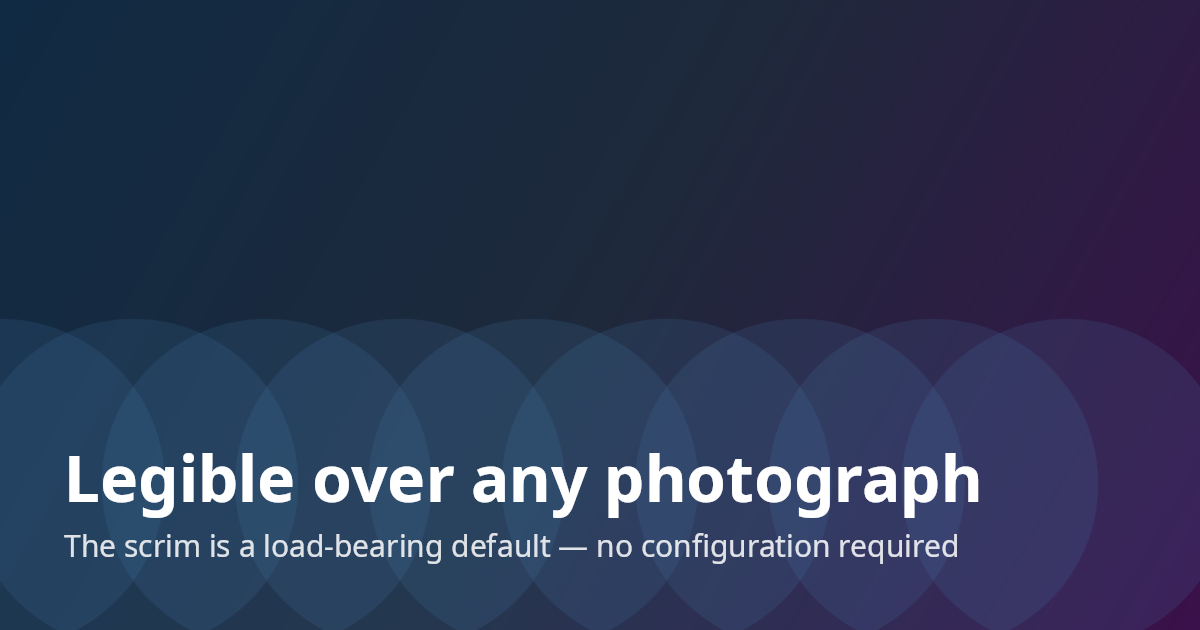
To see what that default buys you, here is the same card with and without it — opt out with
.NoScrim(), or pin a specific strength with .Scrim(0.7f):
Anchors, stacks, and elements
Content is a stack pinned to one of nine anchors; alignment is inherited from the anchor. Stacks
hold role-based elements — Title, Subtitle, Meta — plus Image, Spacer, and a Row for the
avatar-and-byline pattern. The roles encode a tested type scale and opacity ramp, so you describe
what the text is, not what it looks like. Here's the expected common case, a blog card:
return SocialCard.Create()
    .Background("assets/hero.png")
    .At(Anchor.TopRight, s => s.Image("assets/logo.png", height: 48))
    .At(Anchor.BottomLeft, s => s
        .Title("Why Your OG Images Look Like Everyone Else's")
        .Subtitle("What HarfBuzz actually does, and why you want it")
        .Spacer(8)
        .Row(r => r
            .Image("assets/avatar.png", height: 44, shape: ImageShape.Circle)
            .Meta("Phil Scott · June 2026")));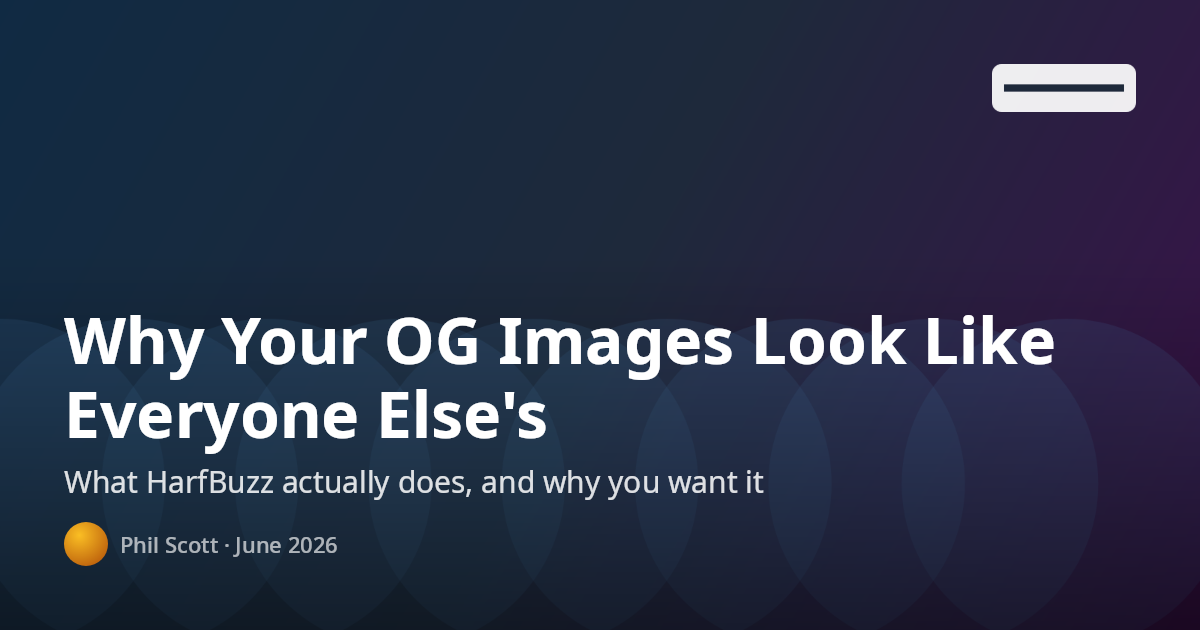
The text engine
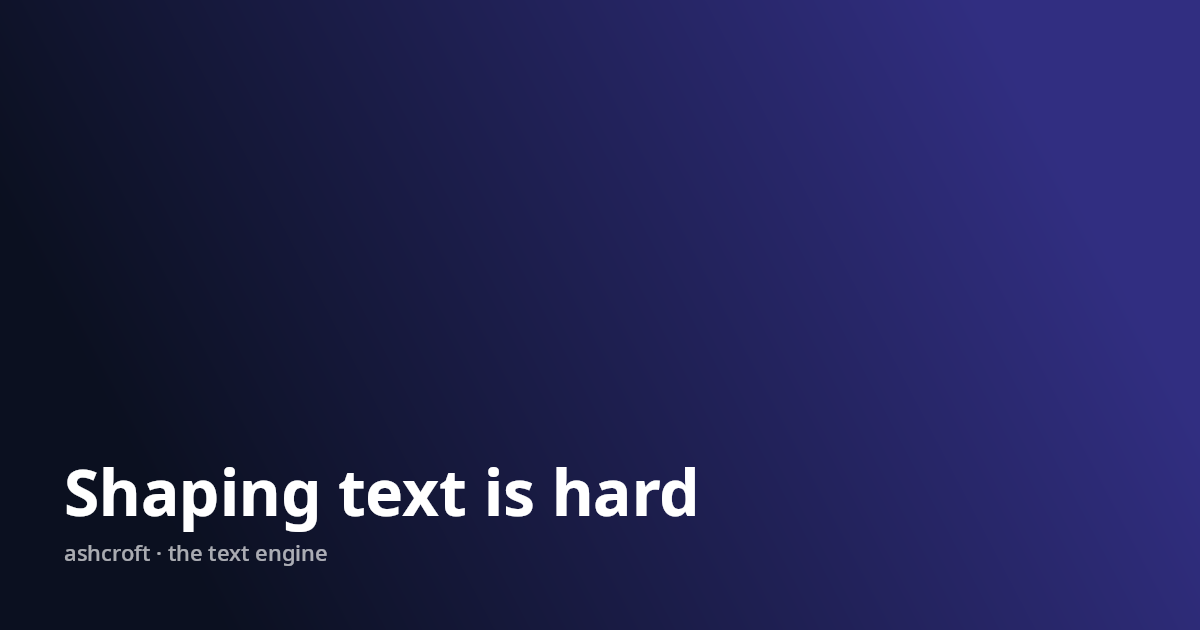
Every string is shaped by HarfBuzz and wrapped on shaped-cluster boundaries — measurement and
drawing share the same glyphs, so nothing ever clips mid-character. The payoff shows up when a
title refuses to fit: a Title wraps up to three lines, then steps its size down toward a 70%
floor, and only then ellipsizes. It never throws and never overflows the card:
return SocialCard.Create()
    .Background(Backgrounds.LinearGradient("#312e81", "#0b1020"))
    .At(Anchor.BottomLeft, s => s
        .Title("Everything I learned shipping a cross-platform text rendering pipeline " +
               "built on SkiaSharp, HarfBuzz, and an unreasonable number of glyph metrics, " +
               "and what I would do differently if I had to start over today")
        .Meta("ashcroft · the text engine"));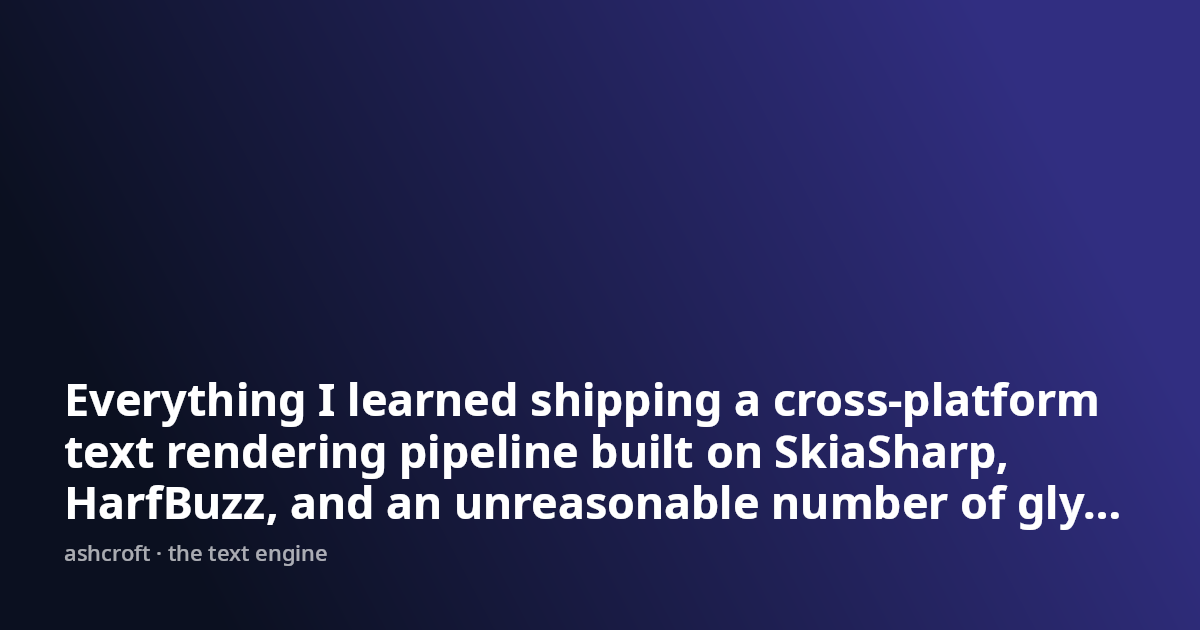
The same layout with a title of each length — no code changes between them:
Shaping is also per run: when the primary face can't cover a codepoint, Ashcroft finds a system face that can — emoji and CJK in one string need zero configuration:
return SocialCard.Create()
    .Background(Backgrounds.LinearGradient("#7c2d12", "#0c0a09"))
    .At(Anchor.Center, s => s
        .Title("Shipping 🚀 to 東京")
        .Subtitle("Emoji and CJK fall back per run — they just work"));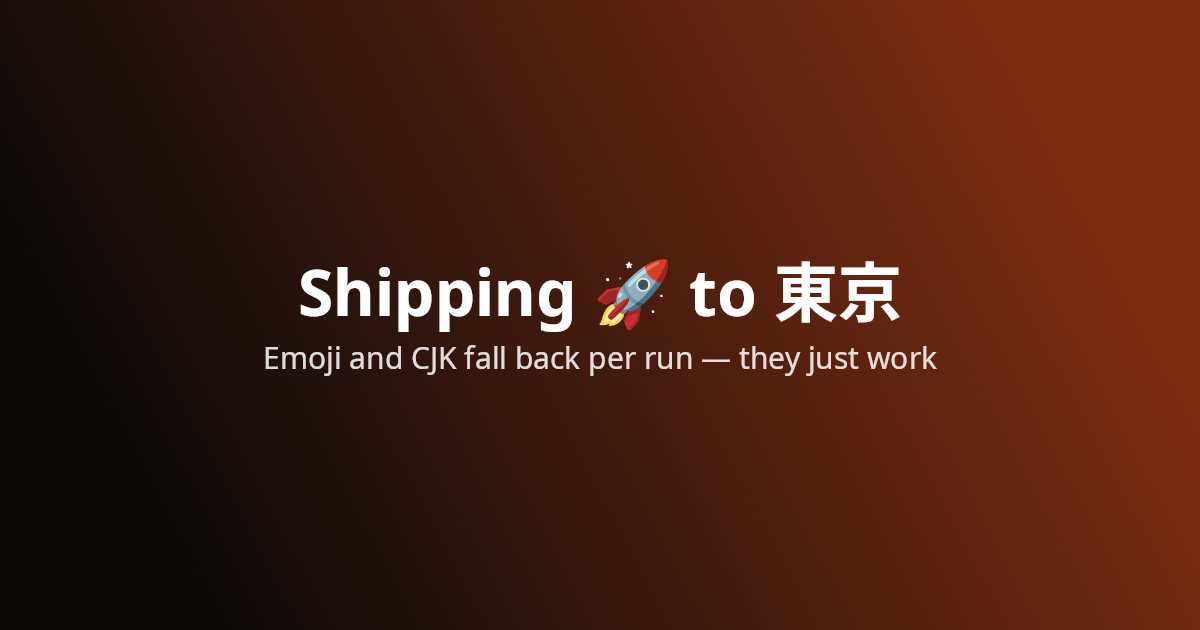
Generative backgrounds
Need something we didn't anticipate? Draw it yourself — Background takes a
(canvas, size) lambda over the raw Skia surface, and the role text still sits on top with its
defaults intact:
return SocialCard.Create(CardSize.Square)
    .Theme(new Theme { TextColor = "#a7f3d0" })
    .Background(DrawIsoGrid)
    .At(Anchor.Center, s => s
        .Title("ashcroft v1.0", size: 88)
        .Meta("social cards for .NET"));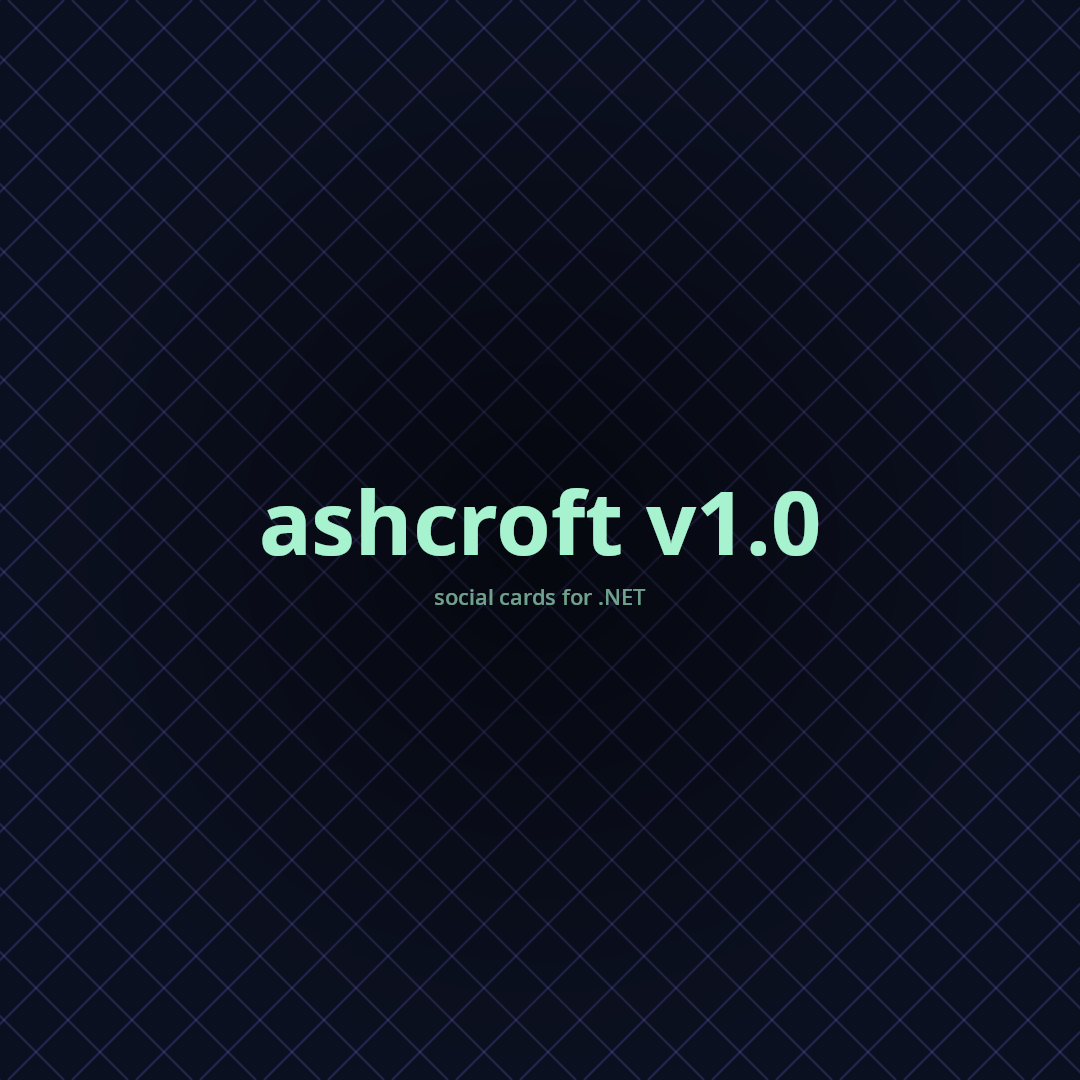
Theming
Card-wide changes go through a Theme — font family, text color, and a scale multiplier over the
whole type ramp. One-off overrides ride on optional parameters per element. Colors are hex strings
everywhere, so casual users never construct an SKColor:
return SocialCard.Create()
    .Theme(new Theme { TextColor = "#a7f3d0" })
    .Background(Backgrounds.RadialGradient("#0b1020", "#020617"))
    .At(Anchor.BottomLeft, s => s
        .Title("Designed by default")
        .Subtitle("Describe what the text is, not what it looks like")
        .Meta("dotnet add package Ashcroft"));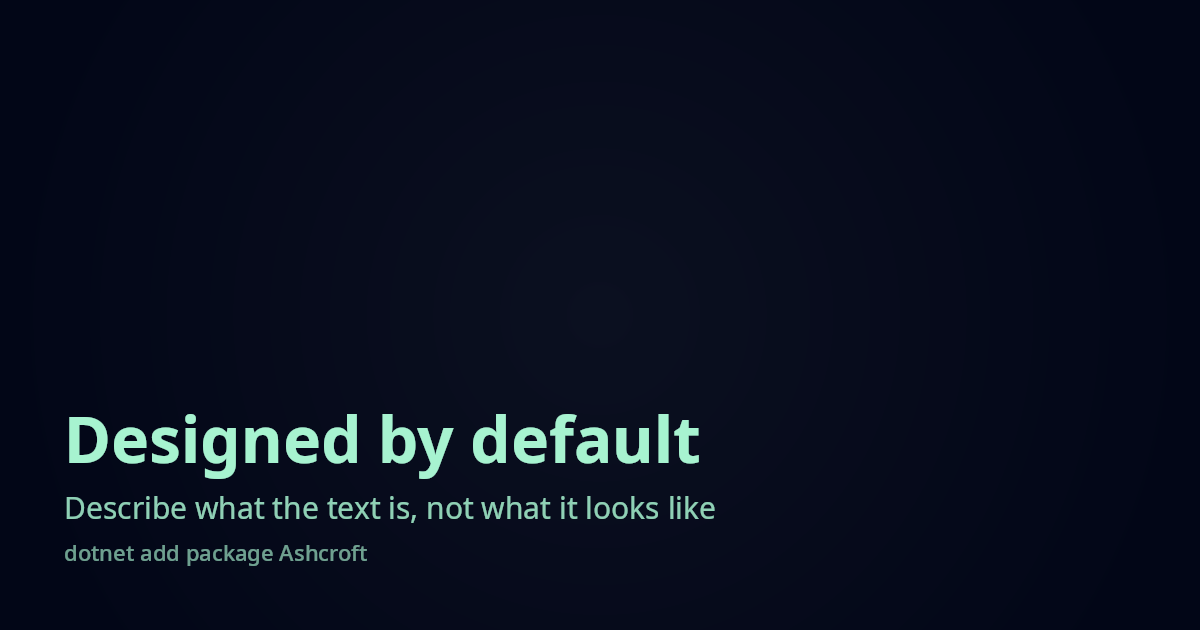
Coloring individual elements
When the theme is right but one element isn't, every role takes an optional color: and size: —
overrides are opt-in, not all-or-nothing. And when the roles themselves aren't enough, Text()
takes a full TextStyle (size, weight, letter-spacing, line height); its color is used exactly as
given, with no role opacity ramp applied. Here the kicker is a custom Text(), the title stays on
the theme default, and the subtitle and meta are tinted:
return SocialCard.Create()
    .Background(Backgrounds.RadialGradient("#1e1b4b", "#0b1020"))
    .At(Anchor.BottomLeft, s => s
        .Text("CASE STUDY", new TextStyle { Size = 22, Weight = 600, LetterSpacing = 4, Color = "#fbbf24" })
        .Title("Coloring outside the theme")
        .Subtitle("Every role takes an optional color and size", color: "#93c5fd")
        .Meta("ashcroft.dev", color: "#fbbf24"));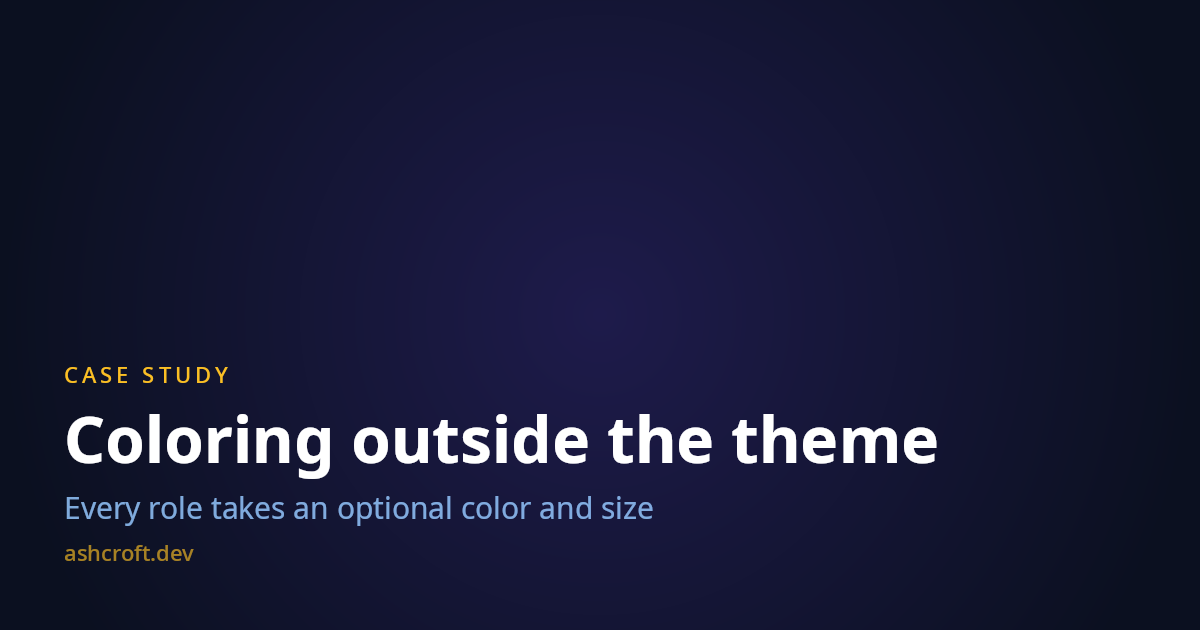
Custom fonts
Two ways in. Theme.FontFamily asks for an installed font by name and falls back silently down a
chain (requested → Segoe UI → Helvetica Neue → platform sans) — hook AshcroftDiagnostics.Log to
hear about it. Theme.FontPath skips resolution entirely and loads a TTF/OTF you ship with your
app, which is the reproducible choice for CI and containers. One file is one face — it carries
every weight on the card, so pick a face that reads well everywhere it'll land:
return SocialCard.Create()
    .Theme(new Theme { FontPath = "assets/SpaceGrotesk-Bold.ttf" })
    .Background(Backgrounds.LinearGradient("#134e4a", "#0f172a"))
    .At(Anchor.Center, s => s
        .Title("Bring your own typeface")
        .Meta("Theme.FontPath · any TTF or OTF"));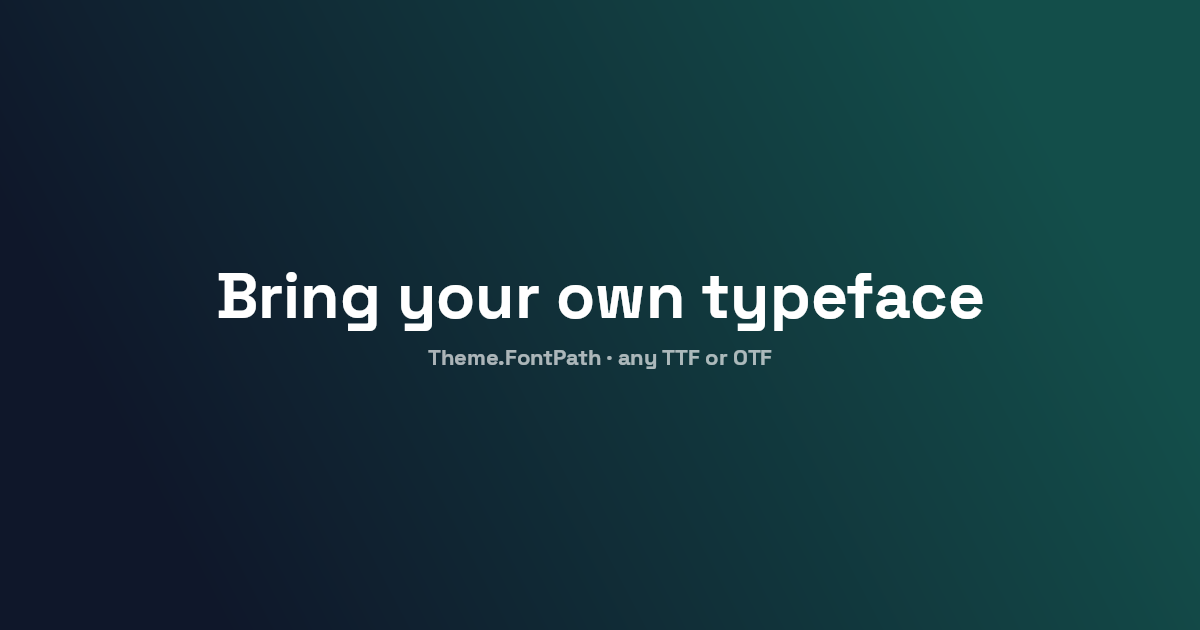
Mixing fonts in one card
Theme.FontPath sets a single face for the whole card, but a display headline over body text wants
two. Theme.FontFiles registers any number of bundled files under the family name each one reports,
so a per-element FontFamily resolves to the bundled file before any system lookup — deterministic
on every machine, with nothing installed. Here the headline is Space Grotesk from a shipped file while
the body and meta stay on the embedded Noto Sans default:
return SocialCard.Create()
    .Theme(new Theme { FontFiles = ["assets/SpaceGrotesk-Bold.ttf"] })
    .Background(Backgrounds.LinearGradient("#0f172a", "#312e81"))
    .At(Anchor.MiddleLeft, s => s
        .Gap(10)
        .Text("Two faces, one card", new TextStyle { FontFamily = "Space Grotesk", Size = 64, Weight = 700, Color = "#f8fafc" })
        .Subtitle("This line is the embedded Noto Sans — humanist, even, built for reading at small sizes.")
        .Meta("Display: Space Grotesk (bundled file) · Body: Noto Sans (embedded)", color: "#a5b4fc"));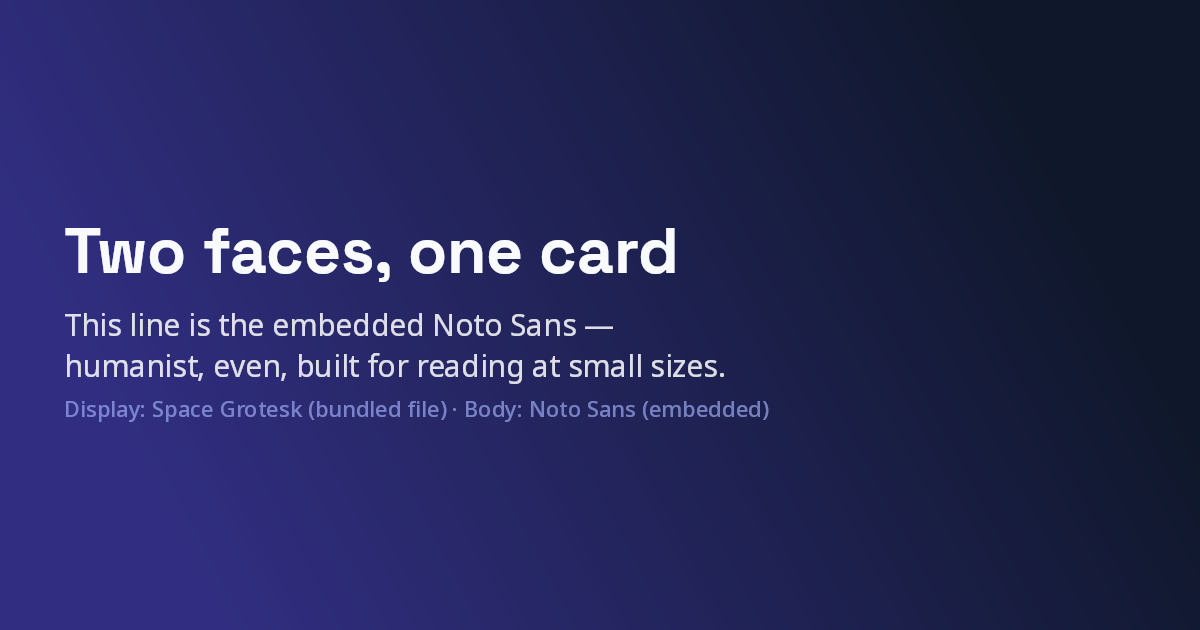
Weight and letter-spacing
The bundled default is a variable Noto Sans, so Weight is a continuous knob from 100 to 900 —
not a handful of presets. Pair it with LetterSpacing on a Text() and one typeface covers a whole
specimen: a wide-tracked label, a hairline subhead, a heavy headline. Because shaping is
weight-aware, measurement follows the weight too, so wrapping and centering stay honest at every step:
return SocialCard.Create()
    .Background(Backgrounds.LinearGradient("#0b1020", "#1e293b"))
    .At(Anchor.MiddleLeft, s => s
        .Gap(10)
        .Text("VARIABLE  WEIGHT", new TextStyle { Size = 24, Weight = 600, LetterSpacing = 8, Color = "#7dd3fc" })
        .Text("Light when it whispers", new TextStyle { Size = 58, Weight = 300, Color = "#e2e8f0" })
        .Text("Black when it shouts", new TextStyle { Size = 58, Weight = 900, Color = "#f8fafc" })
        .Text("one font · 100–900 · tracked to taste", new TextStyle { Size = 22, Weight = 400, LetterSpacing = 2, Color = "#94a3b8" }));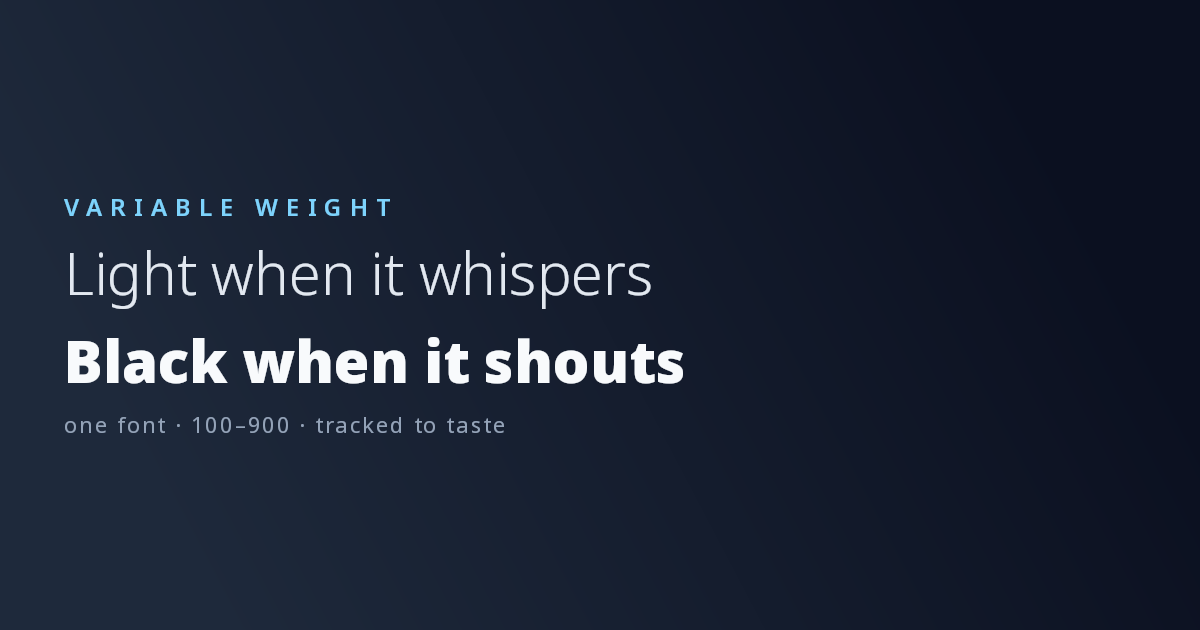
Fine-tuning the layout
The defaults — 64px padding, 12px gap, text wrapping at the card width — are tuned for the common
case, and each has an override: Padding on the card; MaxWidth, Gap, and Align on a stack;
Spacer for a one-off gap between two elements. Images clip to Rounded (with a corner radius)
or Circle. Here a capped text column shares the card with a rounded image on the opposite edge:
return SocialCard.Create()
    .Padding(80)
    .Background("#0b1020")
    .At(Anchor.MiddleLeft, s => s
        .MaxWidth(560)
        .Gap(20)
        .Title("Every default has an override")
        .Subtitle("Padding, MaxWidth, Gap, Align — when the defaults aren't enough"))
    .At(Anchor.MiddleRight, s => s
        .Image("assets/hero.png", width: 360, shape: ImageShape.Rounded, cornerRadius: 24));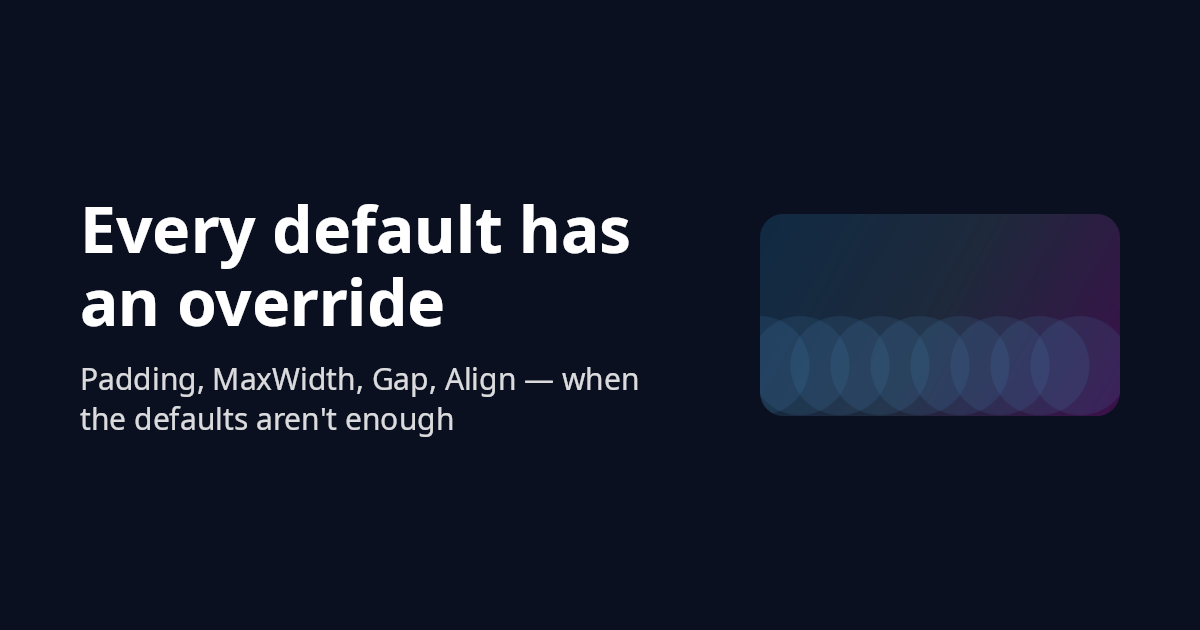
Output
Rendering is deferred — nothing rasterizes until you ask for bytes:
card.Save("og.png");                       // format inferred from the extension
card.Save(stream, ImageFormat.Png);
byte[] bytes = card.ToBytes(ImageFormat.Webp, quality: 90);
using SKImage img = card.ToImage();        // escape hatch for further Skia work
.Scale(2) renders at 2× pixel density with all layout values multiplied — crisp on high-DPI
surfaces. PNG is the default and the recommendation for OG images.
Running on Linux, Docker, or CI
Ashcroft renders with SkiaSharp and shapes every string with HarfBuzz, so it needs two native
libraries at runtime: libSkiaSharp and libHarfBuzzSharp. On Windows and macOS both arrive
automatically with the SkiaSharp and SkiaSharp.HarfBuzz packages Ashcroft already depends on, so
there's nothing to do. On Linux those base packages contain no native binaries — you add the
platform-specific native asset packages yourself, and you need both. NuGet won't pull them in
transitively, and Ashcroft deliberately doesn't list them as dependencies: doing so would force the
Linux .so files onto every Windows and macOS consumer that never needs them.
Add both to the project that actually builds or runs your app — your web app or worker, not a class library in the middle:
<ItemGroup>
  <PackageReference Include="SkiaSharp.NativeAssets.Linux.NoDependencies" Version="4.148.0-rc.1.2" />
  <PackageReference Include="HarfBuzzSharp.NativeAssets.Linux" Version="14.2.0-rc.1.2" />
</ItemGroup>
A few things that trip people up:
- Two packages, two version lines. SkiaSharp and HarfBuzzSharp version independently — Skia is
on
4.148.xhere while HarfBuzzSharp is on14.2.x. Don't try to align the numbers; use the versions Ashcroft is built against (above, matching what theSkiaSharp/SkiaSharp.HarfBuzzpackages resolve to). - The HarfBuzz native is the one people forget. With only the Skia asset present, the
background and shapes draw and then the first run of text throws
DllNotFoundException: libHarfBuzzSharp. The mirror symptom,DllNotFoundException: libSkiaSharp, means the Skia asset is the one missing. .NoDependenciesvs plain.SkiaSharp.NativeAssets.Linux.NoDependenciesis the headless build and the right default for containers and CI — it needs no systemfontconfiginstalled. Reach for plainSkiaSharp.NativeAssets.Linuxonly if you specifically want fontconfig-based system-font discovery; Ashcroft's embedded fonts render without it.- Build host vs deploy target. The references above are unconditional, so they're included no
matter where you build — the right call when you build on Windows or macOS and deploy to Linux. If
you only ever build on the same OS you ship to, you can guard the group with
Condition="$([MSBuild]::IsOSPlatform('Linux'))"to keep the Linux.soout of other outputs.